
Certificates
The Certificates area manages the TLS certificates and certificate signing requests of the management console. It has three tabs: Certificates, Signing requests, and Automatic certificates.
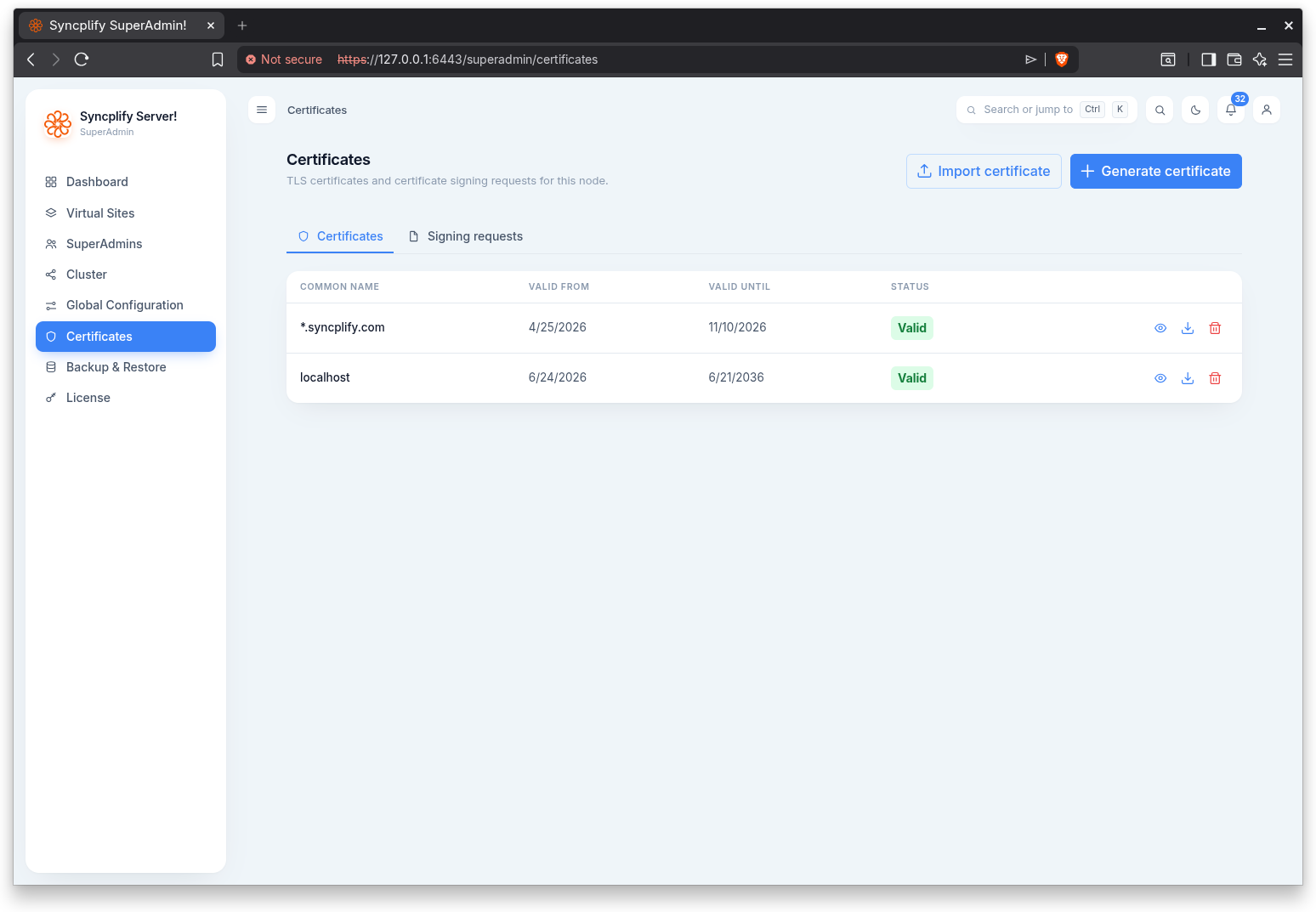
Certificates
The Certificates tab lists every certificate with its common name, valid from and valid until dates, and a validity badge (Valid, Expiring soon, Expired, or Unknown) derived from the expiry date.
Two actions in the header create certificates:
- Generate certificate: creates a self signed certificate. You provide the subject details (common name, organization, organizational unit, country, state or province, city), the key size, validity period, and any subject alternative names (additional host names or IP addresses the certificate should cover).
- Import certificate: imports a certificate you already have, by pasting the certificate PEM, the private key PEM, and optionally a CA bundle, with a key passphrase if the private key is encrypted.
For each certificate you can view it (a read only PEM viewer with copy and download), download it, or delete it. The certificate that automatic certificates manage carries the badge Automatic and cannot be deleted while they are enabled.
Signing requests
The Signing requests tab lists every certificate signing request with its common name, email, and algorithm.
- Create signing request: creates a request to have a certificate authority issue a certificate. You provide the subject details, the key settings, and any subject alternative names. Download the request and send it to your certificate authority.
For each request you can view it, download it, upload the signed certificate your certificate authority issued (which attaches it to the request), or delete it.
Automatic certificates
The Automatic certificates tab requests, installs and renews the console's certificate from Let's Encrypt or another ACME certificate authority. The concepts, what the certificate authority needs to reach, and the readiness check are explained on the Automatic certificates page; the responder on port 443 and the allowed certificate authorities are set in Global Configuration.
The tab reads from top to bottom. The status strip on top shows the phase, the certificate in use, until when it is valid, when the renewal is planned and on what basis, and, when something failed, what went wrong and what to do; the last attempt, the self check per address, the coordinating node and the responder standing on each node are behind Details. Its buttons act on the saved settings: Renew now, Test now, Check readiness and Disable. Below it, a one line notice opens to say what must be in place, and then come the settings in order: the switch, the host names, the certificate authority with its terms of service and the account email, the key type, the advanced settings, and Save at the end.
Turning the switch on opens the readiness panel under the settings; Save is enabled only when the panel reports nothing blocking, and the first enable asks you to acknowledge that port 443 is used on the nodes it names. Once the save went through the panel steps aside and the status strip takes over; Check readiness runs the same check whenever you want to see where a validation would land. The server runs at most one readiness check every two minutes for a scope, and the panel counts down to the next one. Test now runs on the saved settings, so it waits while the form has unsaved changes; Reset changes puts the form back to what is saved.