
Notifications
Notifications are the events and alerts raised by the server. The bell in the top bar shows a badge with the number of unread notifications and opens this page; a count of recent notifications also appears on the Dashboard.
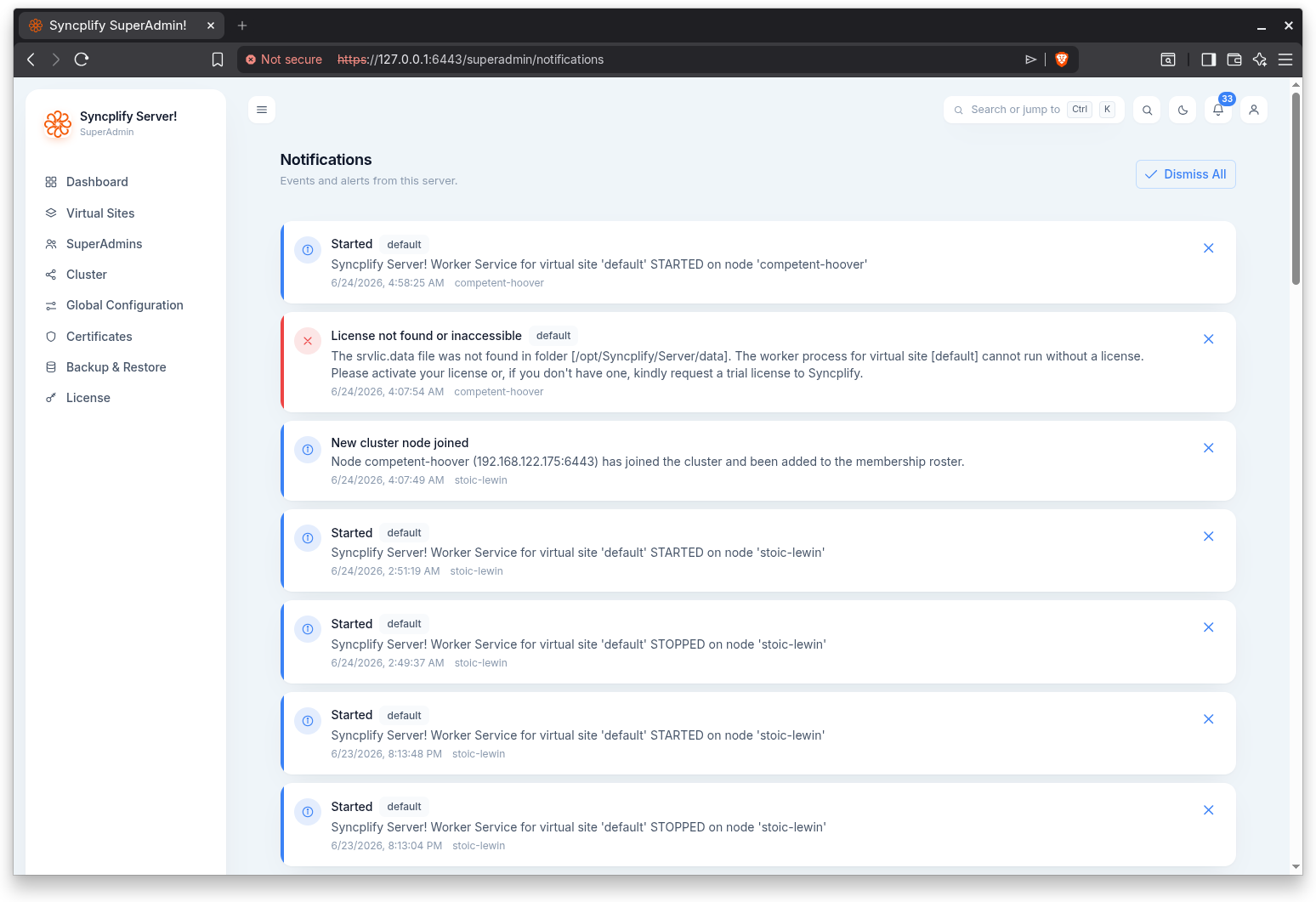
Each notification is shown with a severity accent (Information, Warning, or Error), a title, an optional body, the time it was raised, the originating node, and, when relevant, a tag for the virtual site it concerns. Unread notifications are highlighted; acknowledged ones are dimmed.
You can dismiss an individual notification with its dismiss action, or use Dismiss All to acknowledge every unread notification at once. When there are no notifications, the page shows an empty state.
Automatic certificates
When Automatic certificates are in use, the server raises these notifications here, and sends the same lines to the Telegram bot when one is configured:
- Information when a certificate is issued or renewed, naming the names it covers, the issuer and the expiry date, and a variant that says the renewal succeeded after earlier failures.
- Warning when an order fails, once per failing episode: what went wrong, what to do, until when the certificate in use stays valid, and when the next attempt runs.
- Error when a managed certificate expires within fourteen days and every renewal attempt keeps failing. The same condition puts a banner on the sign in page of both consoles.
- Warning when the per node responder cannot answer on TCP port 443 on a node: the body names the program that holds the port, or the permission that was refused, and points to Global Configuration, Automatic certificates. This one has no virtual site, so only SuperAdmins see it.
The notifications for a virtual site's certificate carry that site's tag and are shown to its Admins as well.