
The SuperAdmin UI
The SuperAdmin UI is the top level management console for Syncplify Server!. It is where you take care of everything that applies to the whole server rather than to a single virtual site: creating and running virtual sites, managing the SuperAdmin accounts that operate the server, monitoring the high availability cluster, configuring server wide settings, reviewing the console's own Shield, managing TLS certificates, backing up and restoring the configuration, and managing the license.
What you can do here
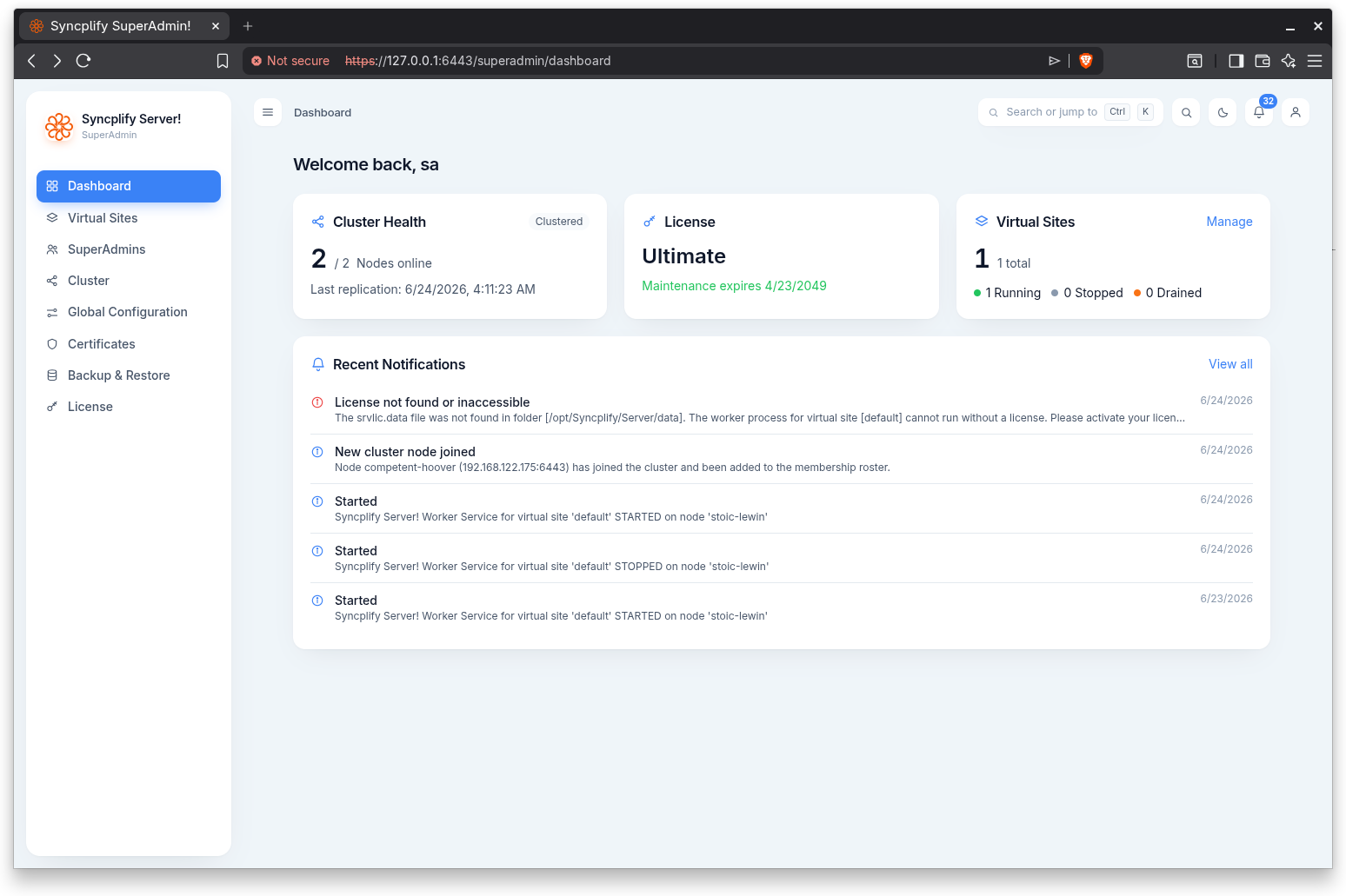
The SuperAdmin UI is organized into a left navigation rail with the following areas:
- Dashboard: a live overview of cluster health, license and maintenance status, virtual site counts, and recent notifications.
- Virtual Sites: create, start, stop, drain, and delete virtual sites, and edit each site's general settings, protocol bindings, administrators, and SSO providers.
- SuperAdmins: manage the administrator accounts that can sign in to and operate this server.
- Cluster: monitor and manage the nodes of a high availability cluster, or view the standalone node when clustering is not in use.
- Global Configuration: server wide settings for the SuperAdmin and Admin web interfaces, grouped into basic and advanced sections on a single page.
- Shield: the bans the console's own protection has issued against brute force and scanning of the sign in pages, and what its engine is seeing right now.
- Certificates: manage TLS certificates and certificate signing requests for this node.
- Backup & Restore: download a full backup of the server, or restore it from a backup archive.
- Updates: the running version, what the release channel offers, the maintenance standing, the update policy, and the actions that update this node or the whole cluster, one node at a time.
- License: view the active license and maintenance status, or run the activation wizard.
The top bar provides a notifications bell, a light and dark theme toggle on the login screen, and an account menu with Settings (your own account), the Manual, the Knowledge Base, and Sign Out. When a newer version of the software is available, an "Update available" pill appears in the top bar and opens the Updates page; its colour and tooltip say whether this installation is eligible to install it, and while an update is in progress the pill shows that instead.
How to access it
The SuperAdmin UI is served at the /superadmin/ path on the server's web interface. Open it in a browser and sign in with a SuperAdmin account. The exact host and port depend on the service binding configured during setup and in Global Configuration.
IMPORTANT
Until a valid license (trial or full) is active, the SuperAdmin UI is gated: only the License activation experience is reachable. Activate a license to unlock the rest of the console.
Each area is covered in detail in the pages of this section.