
SuperAdmins
The SuperAdmins area manages the administrator accounts that can sign in to and operate this server. These are server wide accounts, distinct from the per virtual site administrators managed in the virtual site editor.
The list
Each SuperAdmin is shown with a name avatar, its username (your own account is tagged), email, authentication mode, and whether two factor authentication is enabled. Use Add SuperAdmin to create one, the edit action to change one, and the delete action to remove one. You cannot delete your own account.
Adding or editing a SuperAdmin
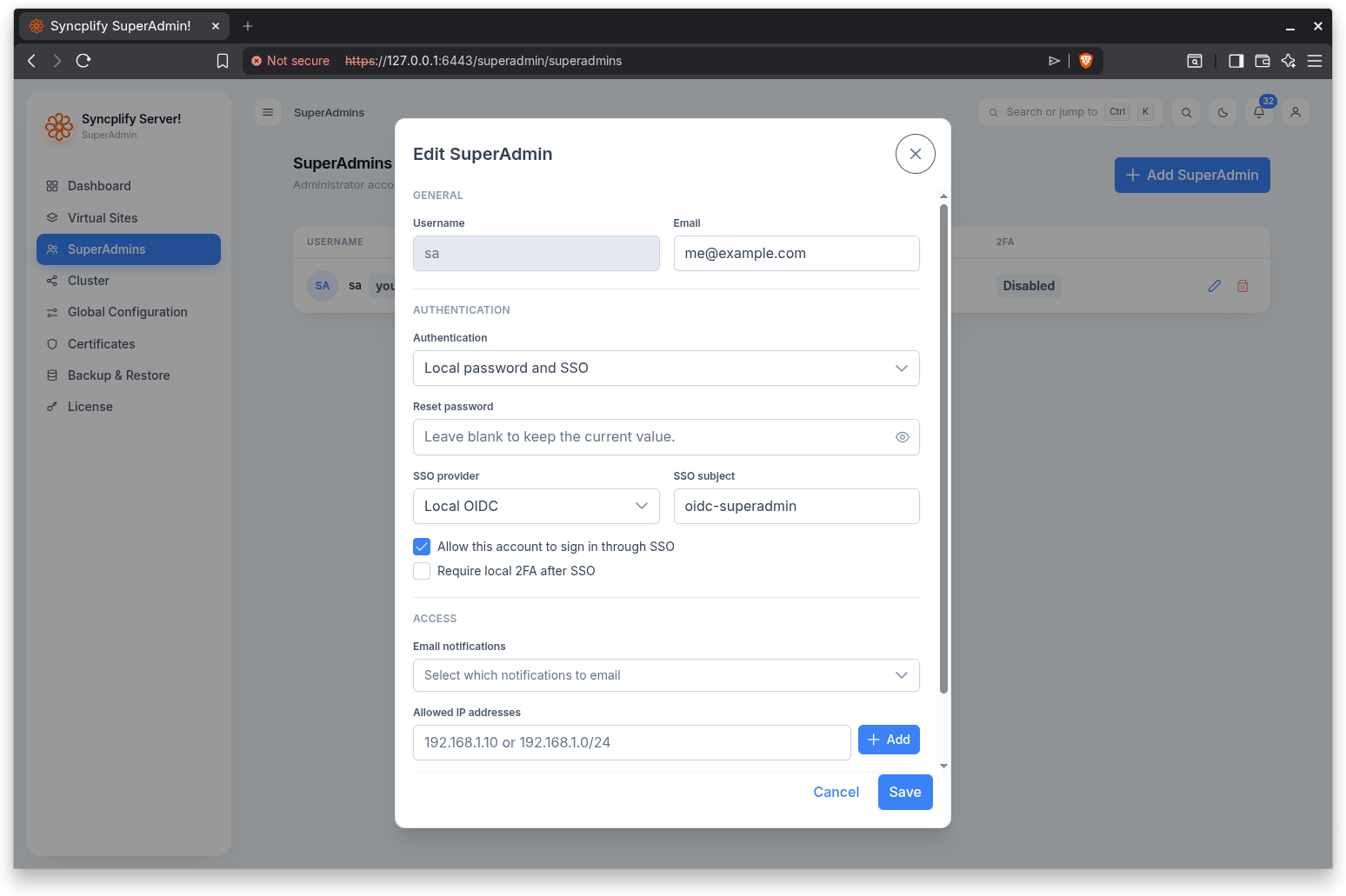
The account dialog covers:
- Username: letters and digits only. The dialog shows the ID the account will receive.
- Email.
- Authentication: local password, single sign on, or local password and SSO.
- Password (for local authentication). When editing, you can reset the password.
- SSO provider and SSO subject, an option to allow the account to sign in through SSO, and an option to require local two factor after SSO. Only providers scoped to SuperAdmins are offered. Leave the subject empty to link the account by email on first sign in, when the provider allows it (see the Single Sign On (OIDC) guide).
- Email notifications: which notification severities (Information, Warning, Error) are also sent to the account by email.
- Allowed IP addresses: when set, the account may sign in only from these addresses or networks.
- Reset two factor: forces the administrator to enroll a second factor again.
NOTE
Single sign on for SuperAdmins relies on OpenID Connect and may require a higher license edition. The SSO providers used here are configured in Global Configuration under Single Sign On; the Single Sign On (OIDC) guide explains the whole topic in depth.